
One inbox, every number
Chats from all your numbers in one list. Take over, assign, close, and see who is waiting and for how long.
Shared team inbox for WhatsApp
All your business’s WhatsApp numbers in one shared inbox. Automated menus answer the simple questions, your team takes over the rest, and nobody waits unseen.
Built on Meta’s WhatsApp Cloud API. You keep your own WhatsApp Business Account.

Built on Meta’s WhatsApp Cloud API: no phone to keep switched on, no unofficial apps.
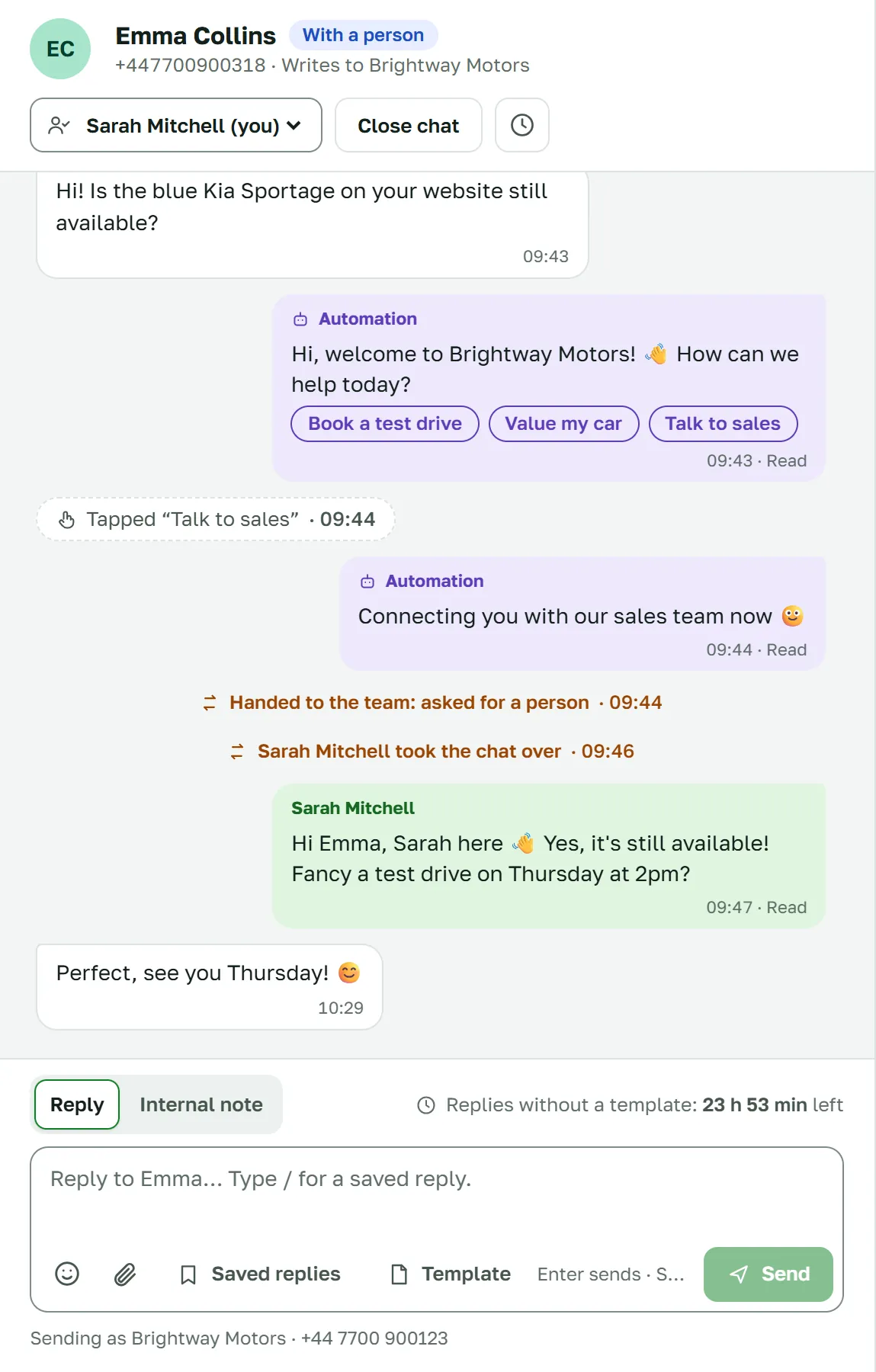
Chats from all your numbers in one list. Take over, assign, close, and see who is waiting and for how long.
Internal notes only your team sees, @mentions, saved replies typed with /, and a customer panel beside every chat.
Every customer in one place, with labels, notes, form answers and their marketing opt-in. Import and export CSV.
A customer’s call rings for your team. The first to accept answers, missed calls go to Waiting, and every call is in the call history.
Reports per number: chats, first-response times, why customers asked for a person, form submissions, and who answered.
An email to your team when someone is waiting or a form arrives, desktop notifications, and quiet hours.
Automation
A rule-based, step-by-step flow built from WhatsApp’s own interactive messages: buttons, lists, questions and WhatsApp Flows forms. It does exactly what your steps say.
How automation works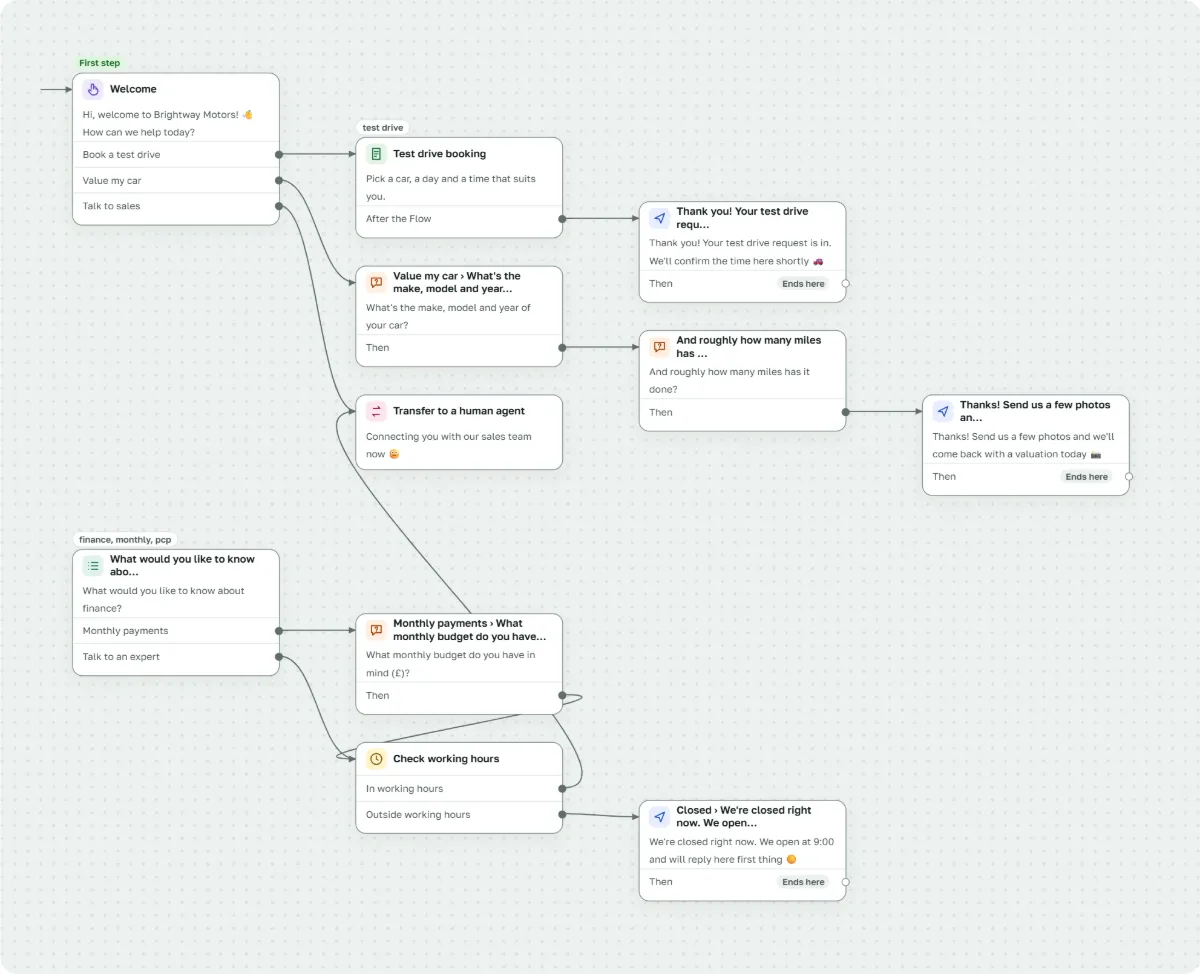
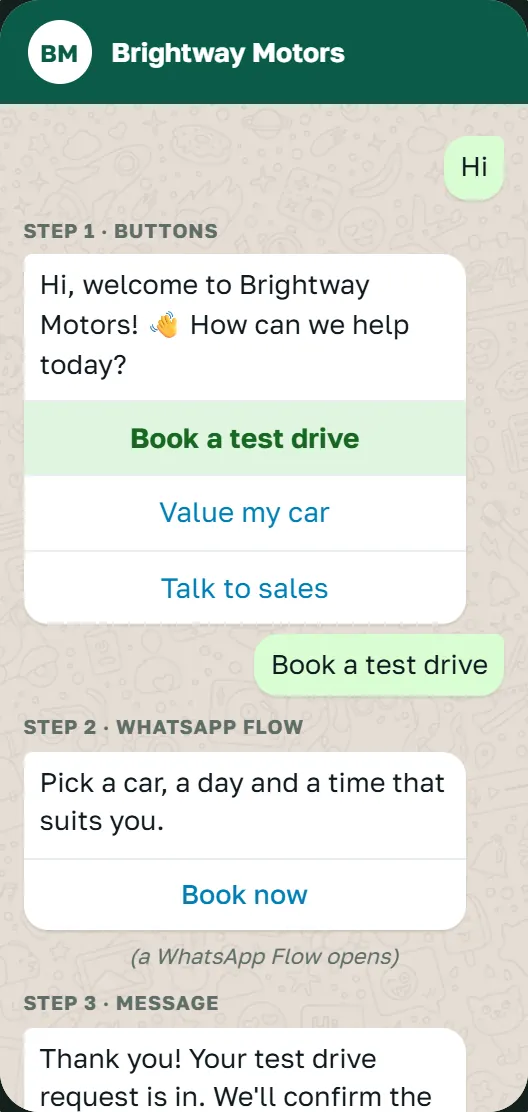
Forms
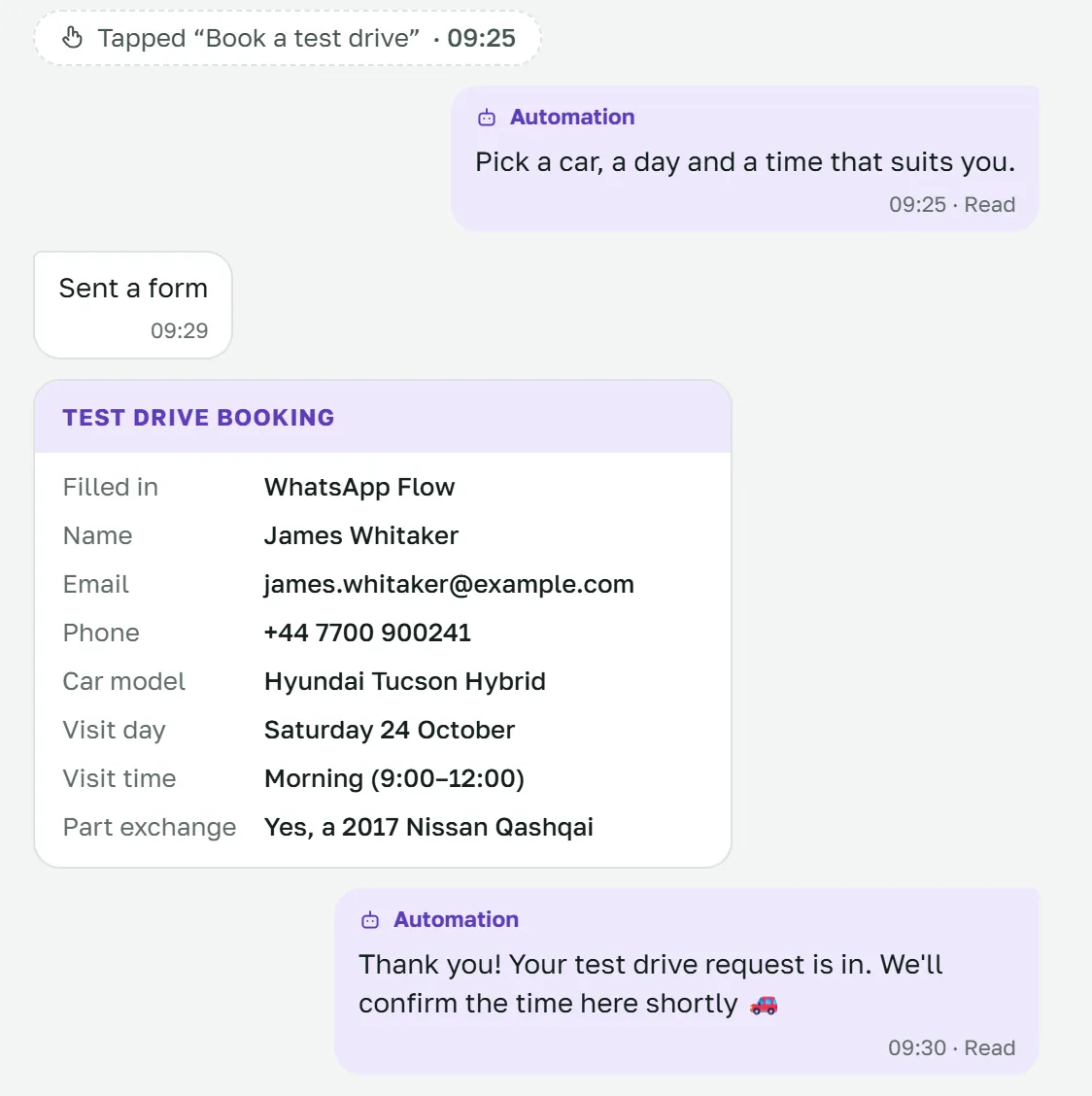
Build WhatsApp Flows in WaBizBox. Customers fill them in without leaving WhatsApp, photos and documents included, and every answer lands on the contact and in your team’s email.
Broadcasts
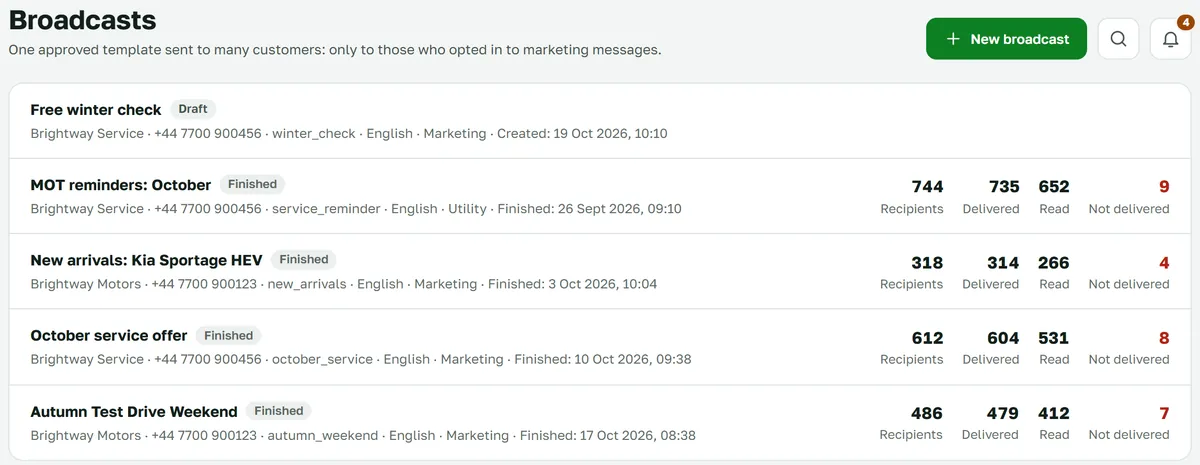
Send an approved template only to customers who opted in, schedule it, and see who received, read and replied. Anyone who opted out is left out for you.
Who it’s for
A “Sell your vehicle” form with photos, inside WhatsApp. The answers land on the contact, and sales calls back.
An appointment request form, a reply outside opening hours, and a hand-over to reception.
A QR code at the counter, keywords like “price”, and offers only to customers who opted in.
Bookings, separate numbers for sales and support in one inbox, and chats assigned to the right person.
Examples of what you can set up, not customer stories.
Getting started
Today the AKASOFT team connects your number with you.
A Meta business portfolio, a number that isn’t on the WhatsApp app, a display name, and a payment card on your messaging account. Start business verification early.
You give AKASOFT access to your WhatsApp Business Account. We connect the number and email you when it’s live.
Build your automation, invite your team, fill in your business profile, and message your number to see what customers see.
Coming: connect your number yourself through Meta’s sign-up window, and keep the WhatsApp Business app on the same number.
Every plan has every feature. Meta charges per delivered message to the payment method on your own messaging account; we don’t resell or mark it up.
A WhatsApp access token you give us is encrypted at rest with AES-256-GCM, and its key never goes into a backup.
One business can never see another’s chats, and each person sees only the numbers they answer.
Admins and agents, and a record of every change made in settings.
The database and files are backed up every night, checked against SHA-256 checksums, and kept up to 30 days.
A customer’s “no” to marketing is logged separately, so it survives any restore.
We erase a customer’s data when you ask, and it stays erased.
We keep when a call happened, who answered and how long it lasted. Nothing else.
Passwords hashed with scrypt, guessing limited, and you can sign out other browsers.
Yes. You connect a number your business owns, on your own WhatsApp Business Account. Today the number must not be on the WhatsApp or WhatsApp Business app when it’s connected, which is Meta’s rule for the Cloud API.
You do, directly. Meta charges per delivered message to the payment card on your messaging account and sends you its own invoices. WaBizBox charges only for the software.
Yes. Everyone you add answers from the same number, in their browser. You can also connect several numbers and choose who answers each.
No. It follows the steps you build: buttons, lists, questions, WhatsApp Flows and exact keywords. Anything it doesn’t recognise goes to your team.
Yes. Your team answers in Chrome or Edge on a computer, missed calls go to Waiting, and calls are not recorded. Meta allows calls once your business has a messaging limit of at least 2,000 and a payment method.
Getting Meta ready is the longest part: business verification often takes a few days, so start early. Once that’s ready, we connect your number and you can set up your automation and team within a few working days.
No. WaBizBox runs on Meta’s WhatsApp Cloud API, so there is no phone or app to keep running.
We’ll show you WaBizBox with your own use case, and what you need ready in Meta.