
Features
Everything a team needs to answer on WhatsApp
One shared inbox for all your WhatsApp numbers, with forms, broadcasts, calls and reports in the same place.
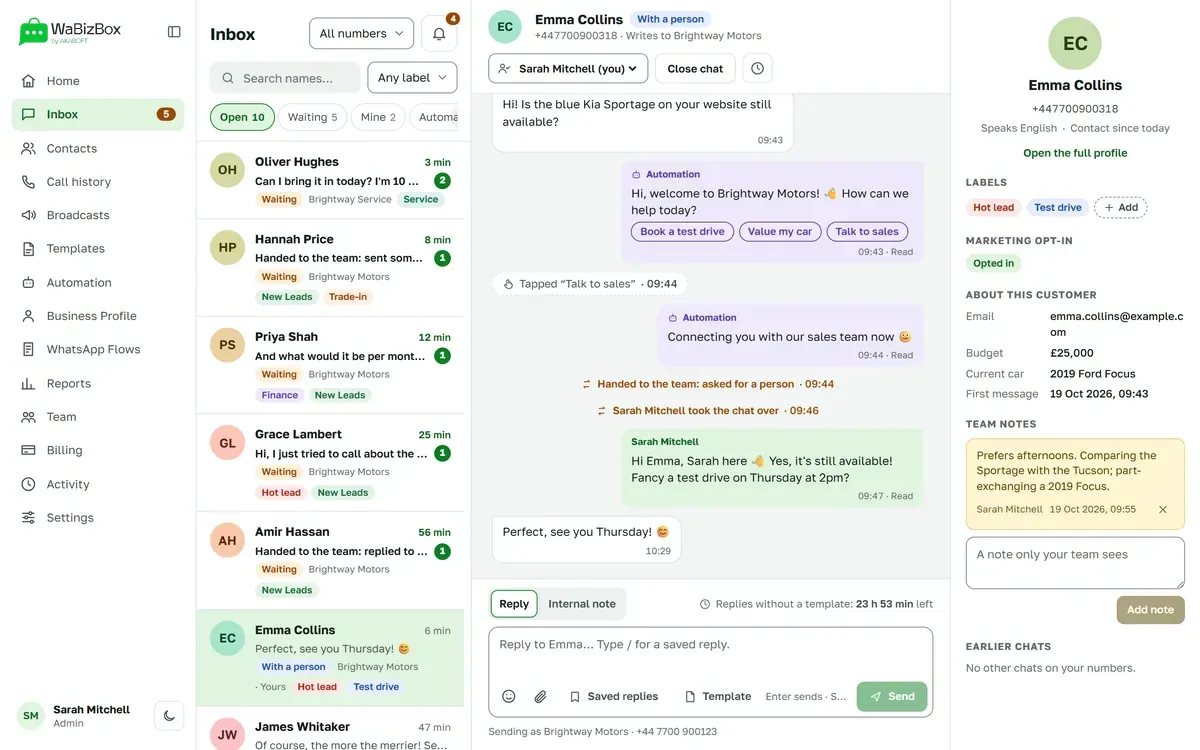
Shared inbox
One inbox, every number
Chats from all your WhatsApp numbers in one list. Take over, assign, close, and see who is waiting and for how long.
- Tabs for Open, Waiting, Mine, Automation and Closed
- Search names, numbers and what was said
- Pictures, documents, sound and video, both ways
- A countdown for the 24-hour customer service window
Teamwork
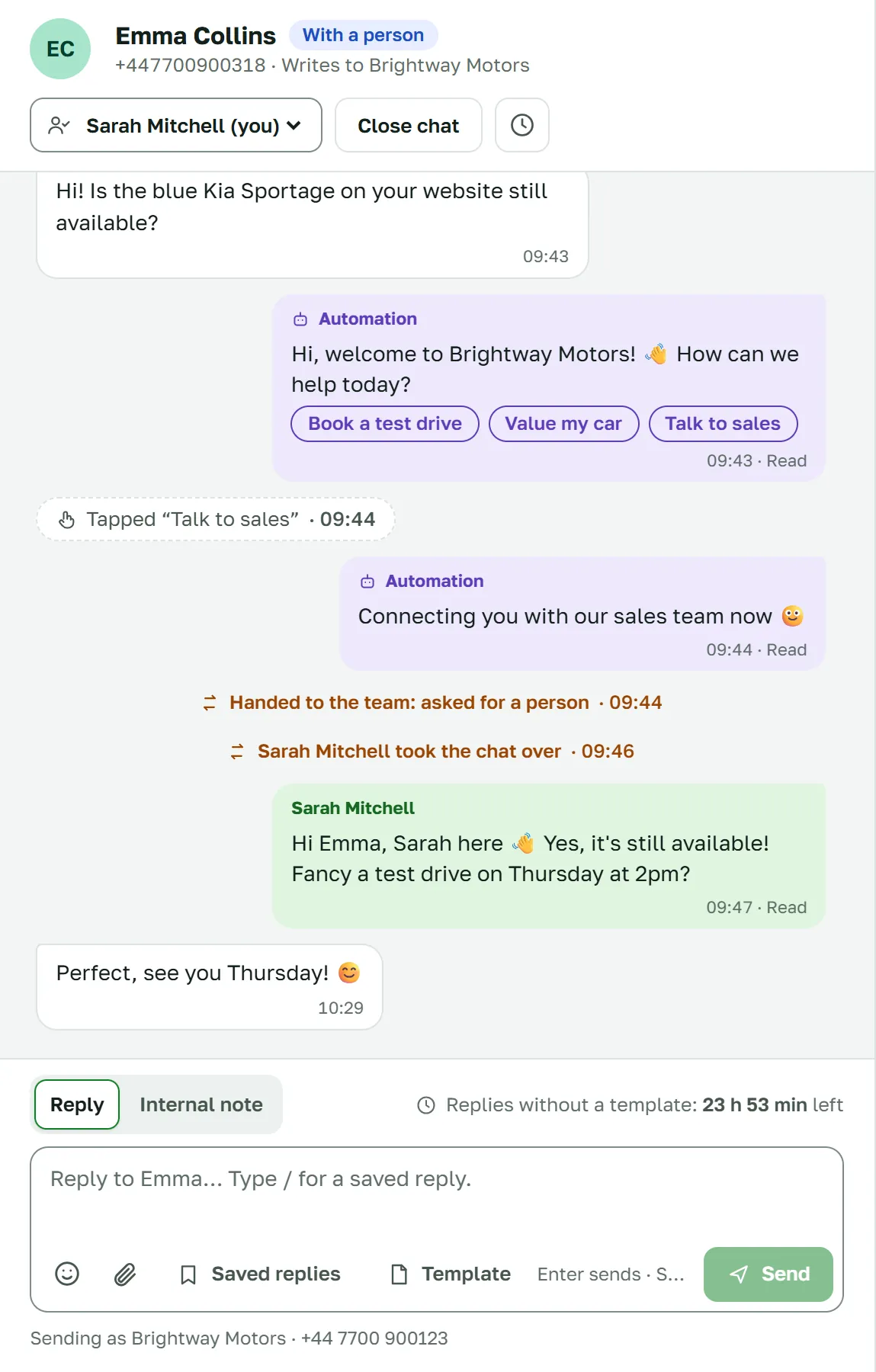
Work as a team
Everyone you add answers from the same number, in their own browser. Talk a chat over with notes the customer never sees.
- Internal notes with @mentions
- Saved replies typed with /, and {name} becomes the customer’s first name
- A customer panel: labels, opt-in, details, notes and earlier chats
- A draft kept for each chat
Contacts and labels
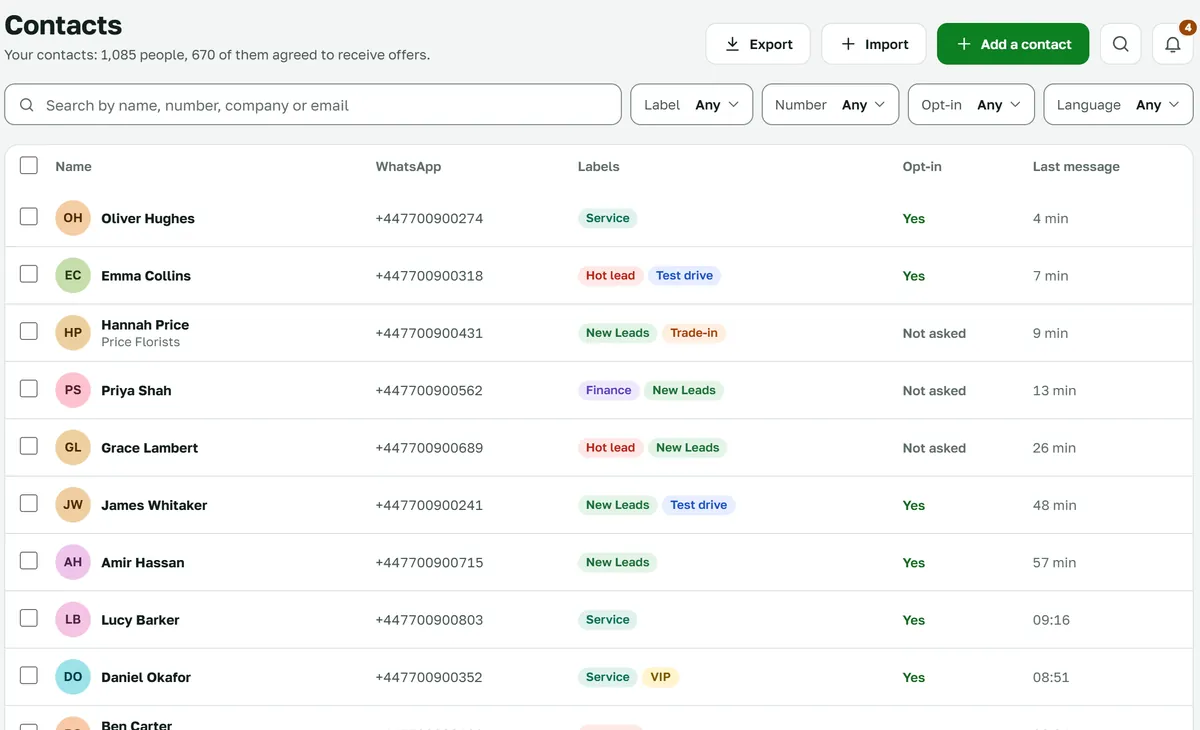
Every customer in one place
Labels, notes, form answers and the marketing opt-in on every contact. Each opt-in is recorded with the exact question asked.
- Search, and filter by label, opt-in and language
- Import CSV, and export
- Labels in nine colours, from the chat or in bulk
- A label for every first-time customer, such as “New Leads”
Calls
Answer WhatsApp calls in the browser
When a customer calls your WhatsApp number, it rings for everyone on that number with WaBizBox open. The first to accept takes the call and the chat.
- A call bar with a timer, Mute and End that stays as you move around
- No answer within 25 seconds puts the chat in Waiting
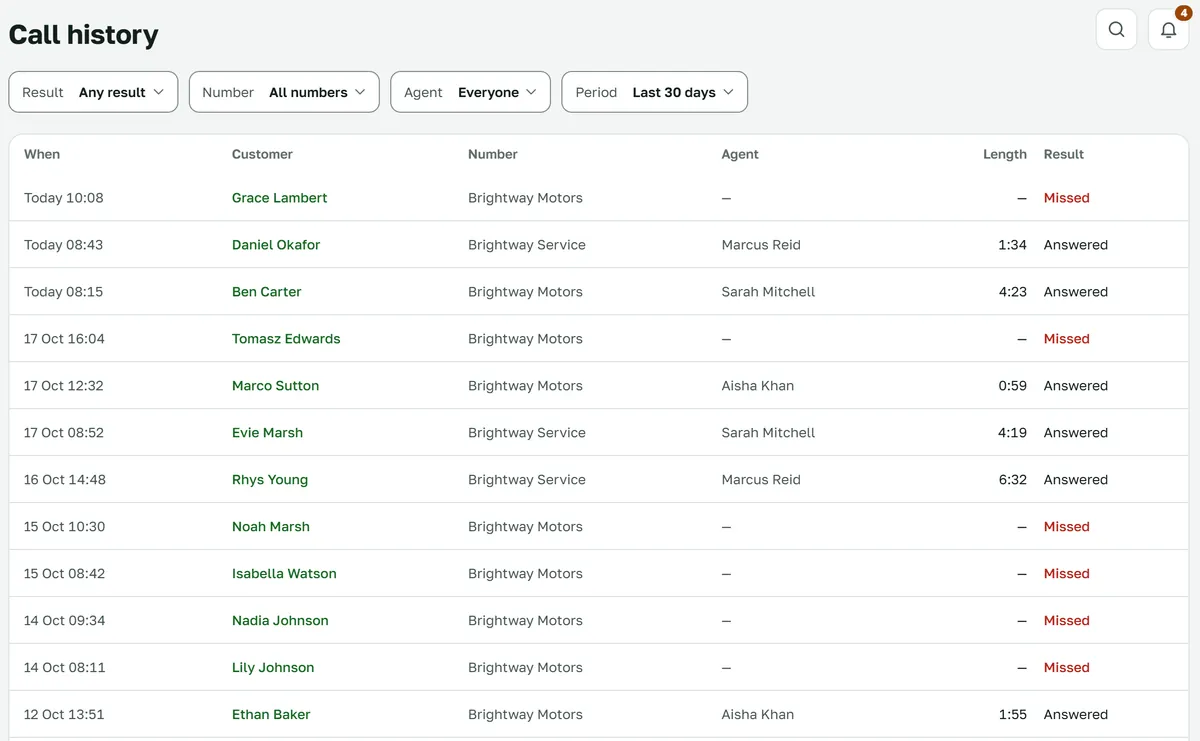
- Call history by answered or missed, number, agent and period
- Each chat links to its calls
What calls need
- Chrome or Edge on a computer; a phone is best effort
- A messaging limit of at least 2,000 on your business portfolio
- A payment method on your messaging account
- Calls switched on for the number in Settings
Calls are not recorded. We keep only when a call rang, who answered and for how long. Calling customers from WaBizBox isn’t available.
Broadcasts and templates
Broadcasts to the right people
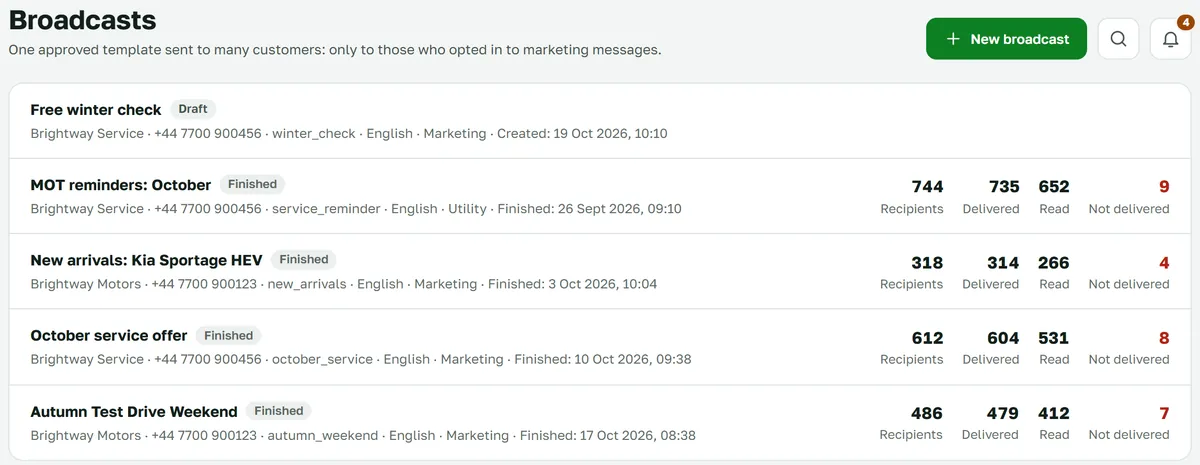
Send an approved template only to customers who opted in to marketing messages, and see who received, read and replied. Write new templates here and send them to Meta for review.
- Audience by label, or the contacts you tick
- Send now or schedule, then pause, resume or cancel
- Your messaging limit shown, with a warning before you go over it
- A marketing opt-out button: whoever taps it is left out of later broadcasts
Left out automatically
- Customers who opted out, or were never asked
- Customers who stopped marketing messages in WhatsApp
- US numbers, to which WhatsApp delivers no marketing templates
Reports and alerts
Know how you’re doing
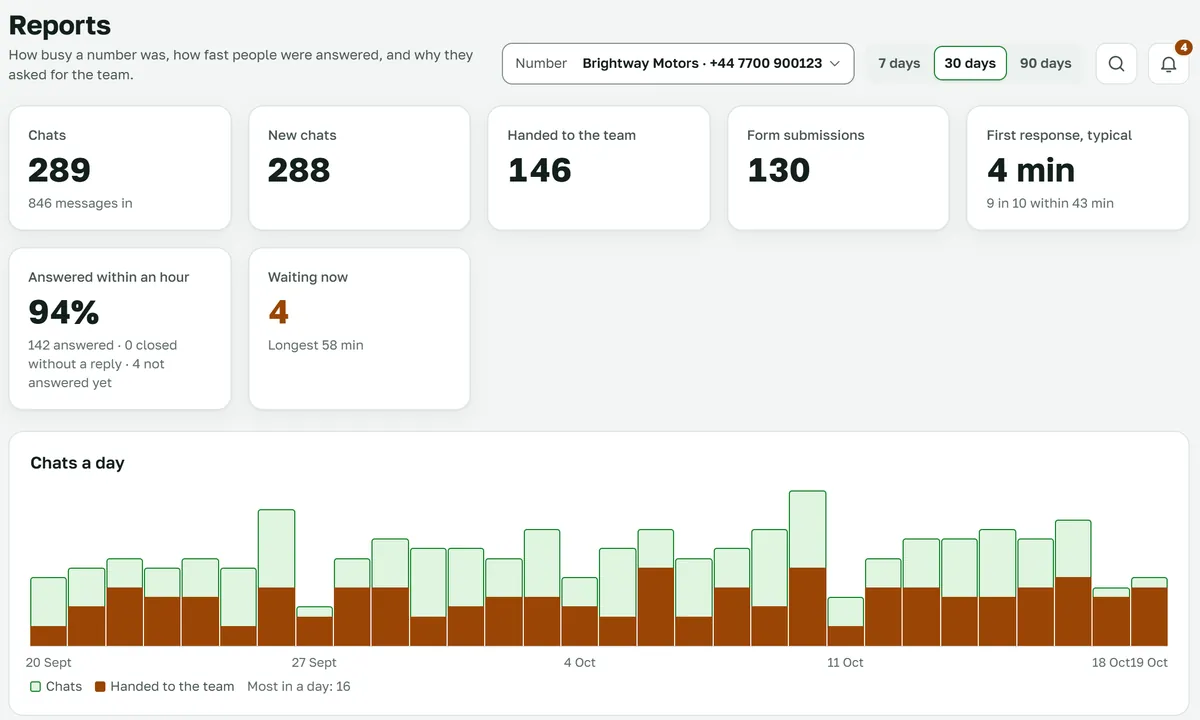
Reports per number, over a period you choose. When someone is waiting or a form arrives, the number’s team gets an email.
- Chats, new chats and messages in
- Chats handed to the team, and why
- Typical first response, and answered within an hour
- Form submissions, labels, and who answered
Forms with WhatsApp Flows
Forms inside the chat
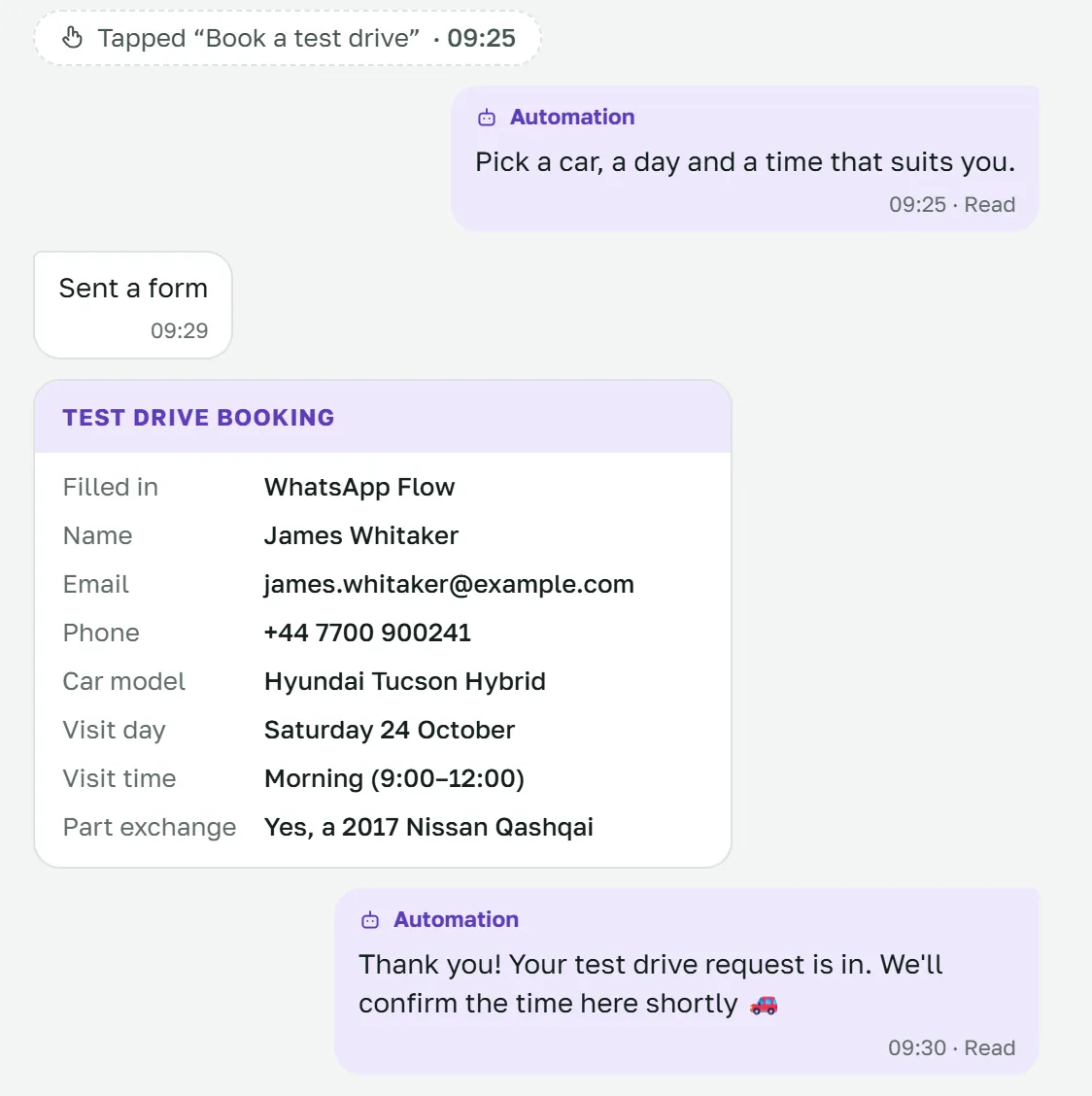
Build WhatsApp Flows in WaBizBox. Customers fill them in without leaving WhatsApp, and every answer lands on the contact, on Home, in Reports and in your team’s email.
- Text, number, email, phone, date, drop-downs, choices and an agreement tick box
- Start from “Contact details” or “Booking”
- Photos and documents the customer picks, shown on the chat
- Save as a draft, or publish at Meta
Also included
- Working hours, with an automatic reply about when you’re back
- Quiet chats close on their own
- A bell, desktop notifications and quiet hours
- QR codes that open a chat with your number
- Edit your WhatsApp business profile
- Copy the text out of a photo a customer sends
- Search everything, and keyboard shortcuts
- Light and dark themes, six colours
- Works on a computer, a tablet and a phone
- English, Russian and Uzbek for your team
- A Home page with today at a glance and who is waiting
- Invite your team by email link
See your WhatsApp chats in one place.
We’ll show you WaBizBox with your own use case, and what you need ready in Meta.